Plain Estimate: Invoice Maker
Plain Estimate is for one-person trades who quote standing up, in somebody's hallway, with the customer watching. Set your prices once, walk the job tapping them in, hand the phone over for a signature, book the work, do it, invoice it, record the payment. Estimates, invoices, pro formas, credit notes and purchase orders; a hundred and seven document formats; reports for you and spreadsheets for your accountant. Everything is kept on the phone: no account, no server, no monthly fee.

 Soon
Soon  Scan to get it
on your phone
What defines it
Every feature
Quote while you are still in the room
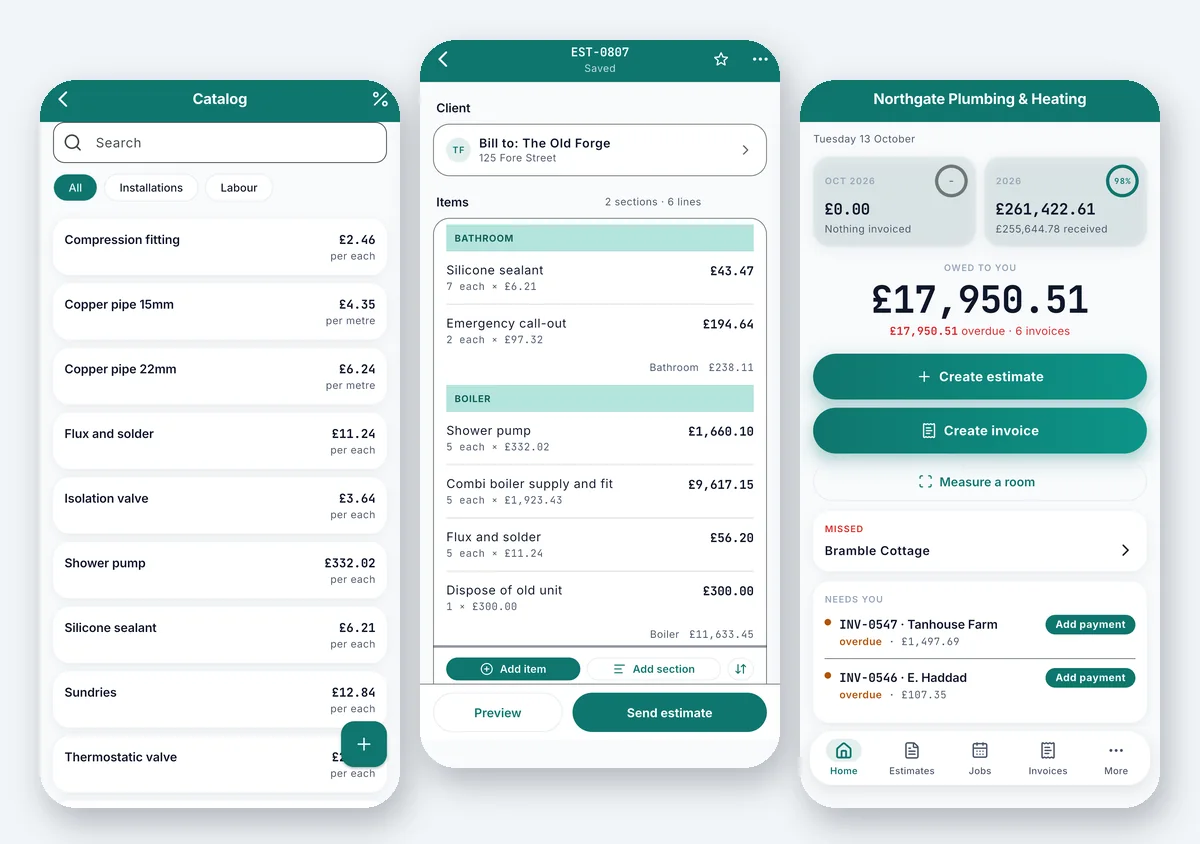
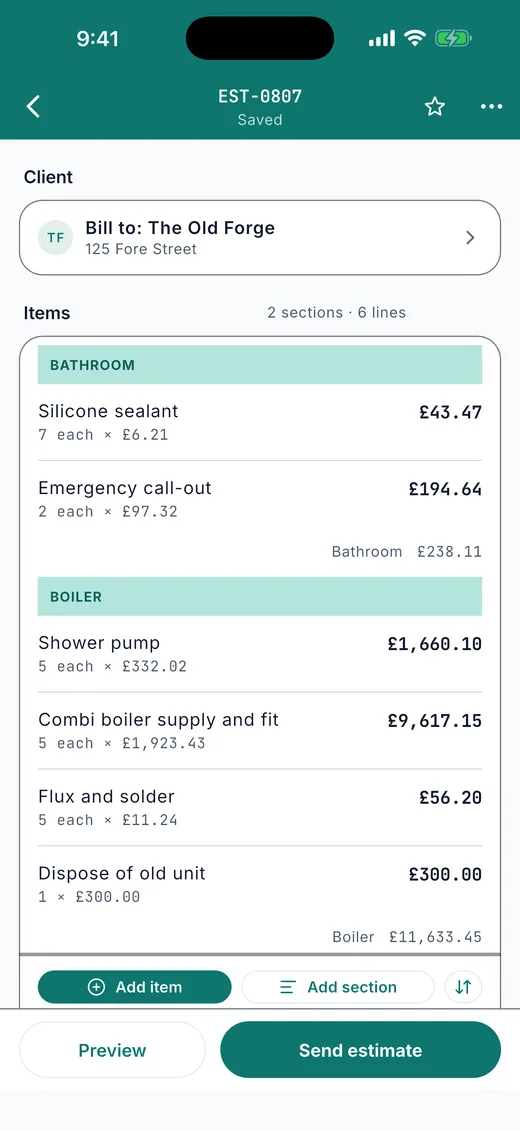
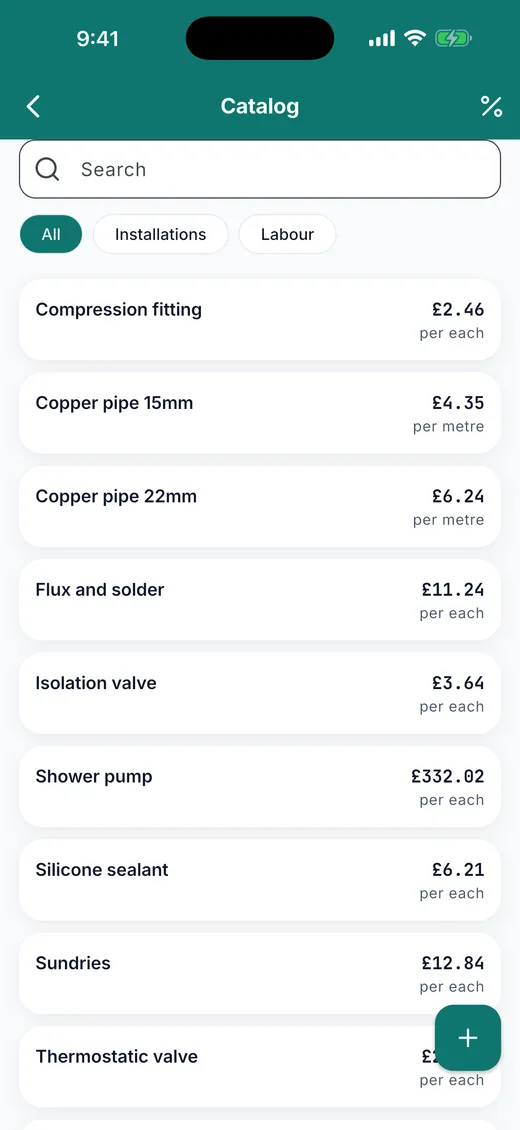
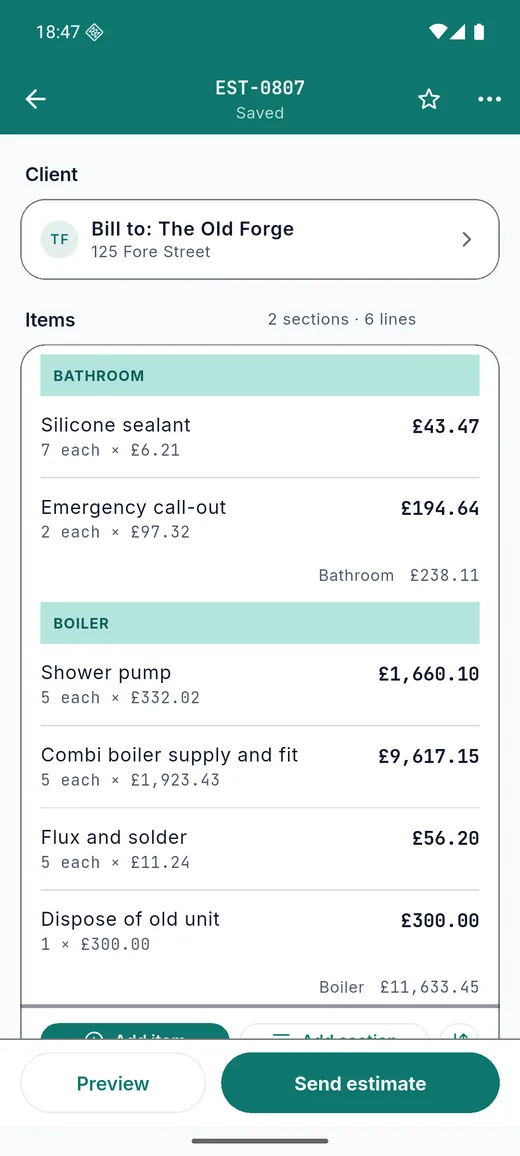
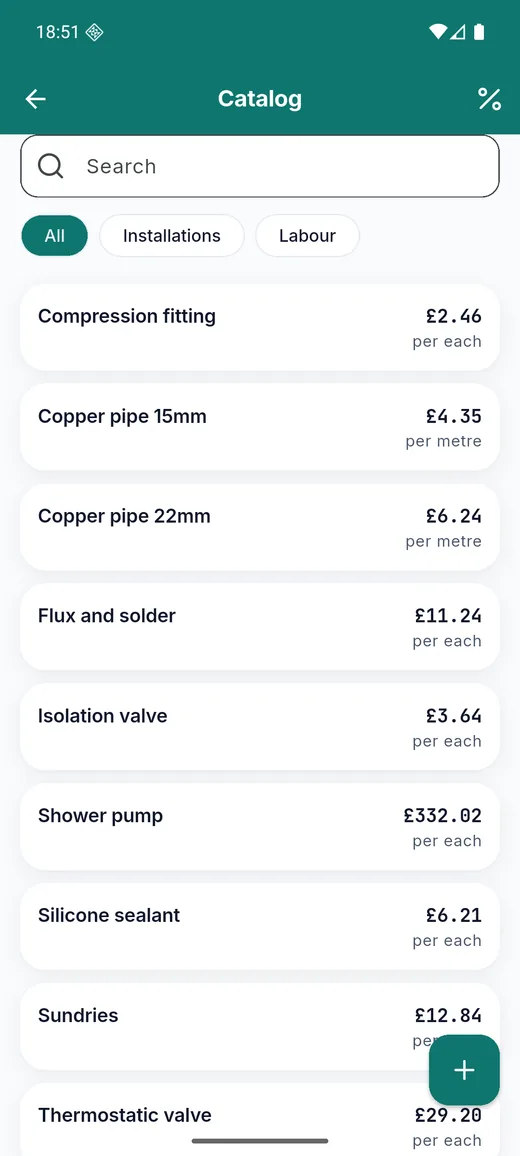
Set your prices once: a day rate, an hourly rate, the materials you fit, each with the cost behind it so the app can show your margin. Then walk the property tapping them in. Group the lines under headings, so the kitchen and the bathroom each show their own subtotal and the customer can see what they are paying for. Change the order, add a discount by percent or amount, set a deposit. Measure a room or an object with the camera and the figure lands on the line.
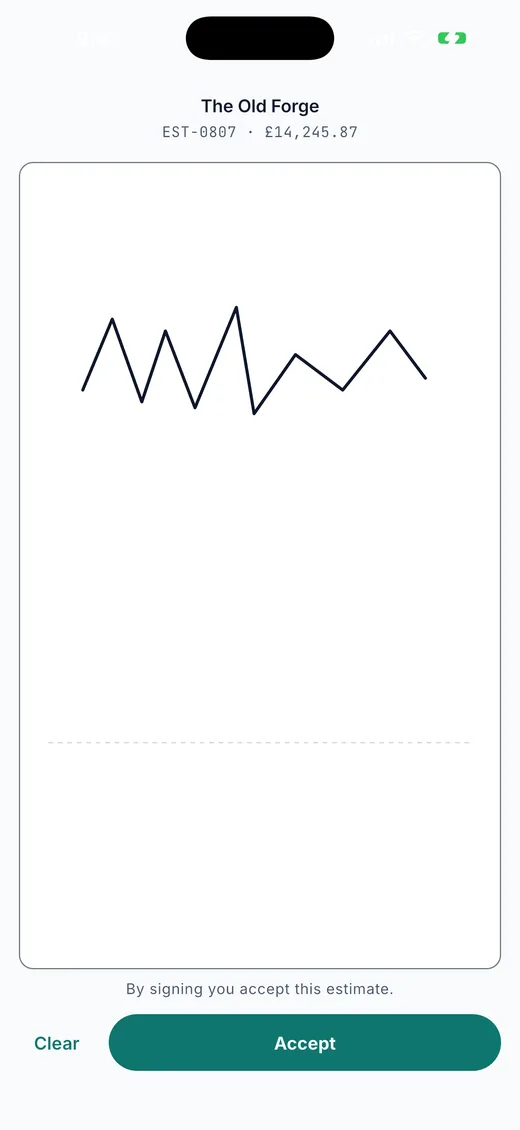
Get it signed at the door
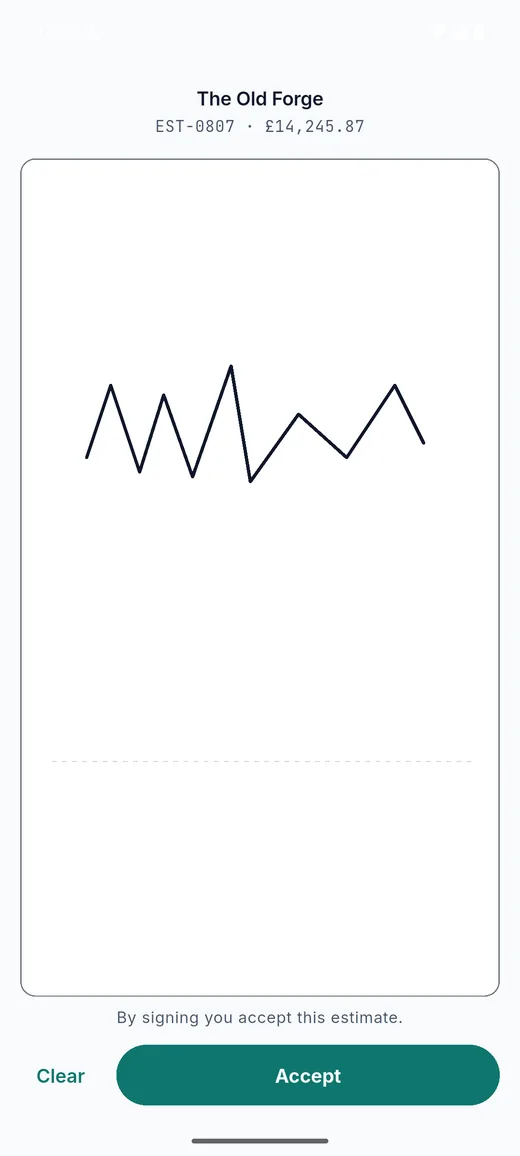
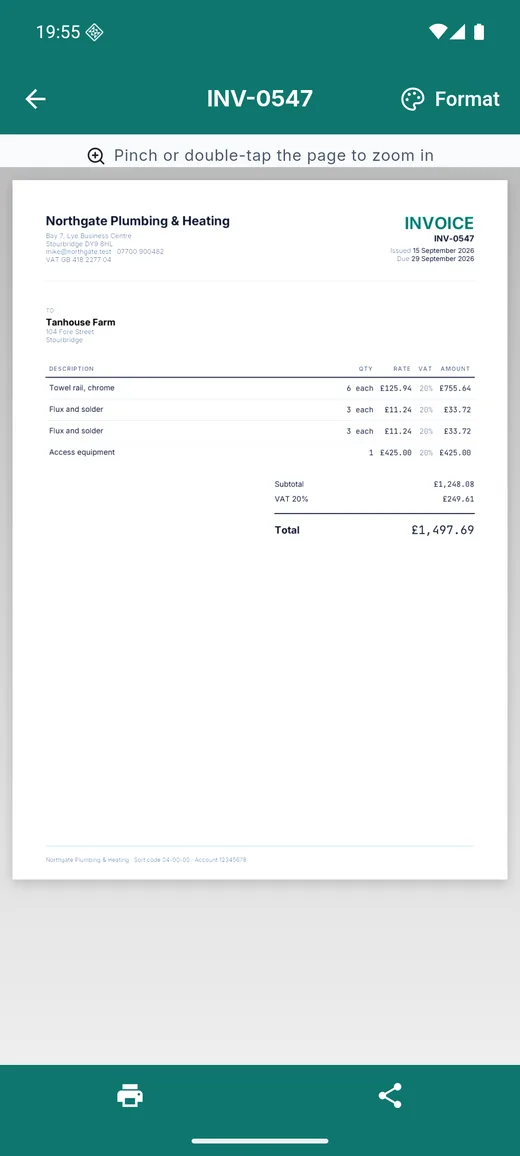
Hand the phone over. The customer signs on the screen and the signature goes onto the document and stays with it: the record of what was agreed, not a promise to email one over. A signed estimate counts as won in your reports.
Then the rest of it
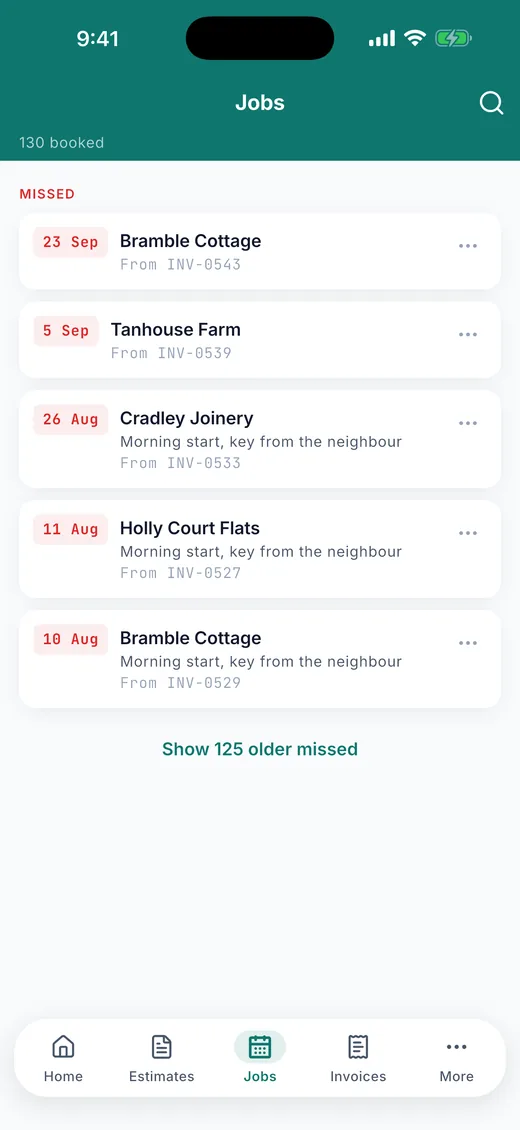
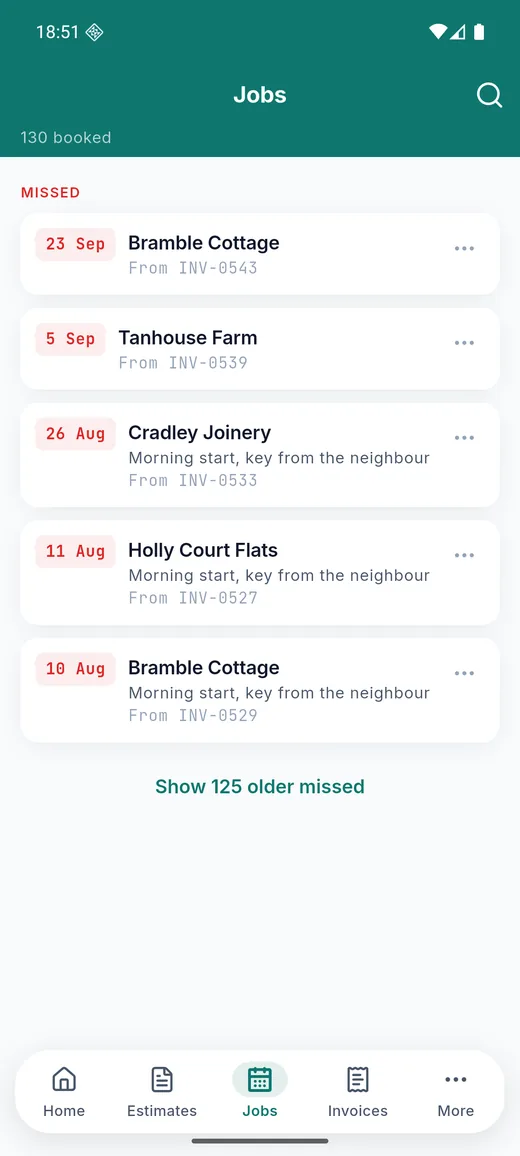
Book the job into the diary and get a reminder. Take photos while you work; they attach to the document and can go on the sheet. Turn the estimate into an invoice without typing it again, split it into a deposit invoice and a balance, or raise a pro forma and invoice once it is paid. Record payments as they arrive, part or in full. Raise a credit note against an invoice. Put a regular invoice on repeat, weekly, monthly, quarterly or yearly, and it is drafted for you on the day.
Six kinds of document
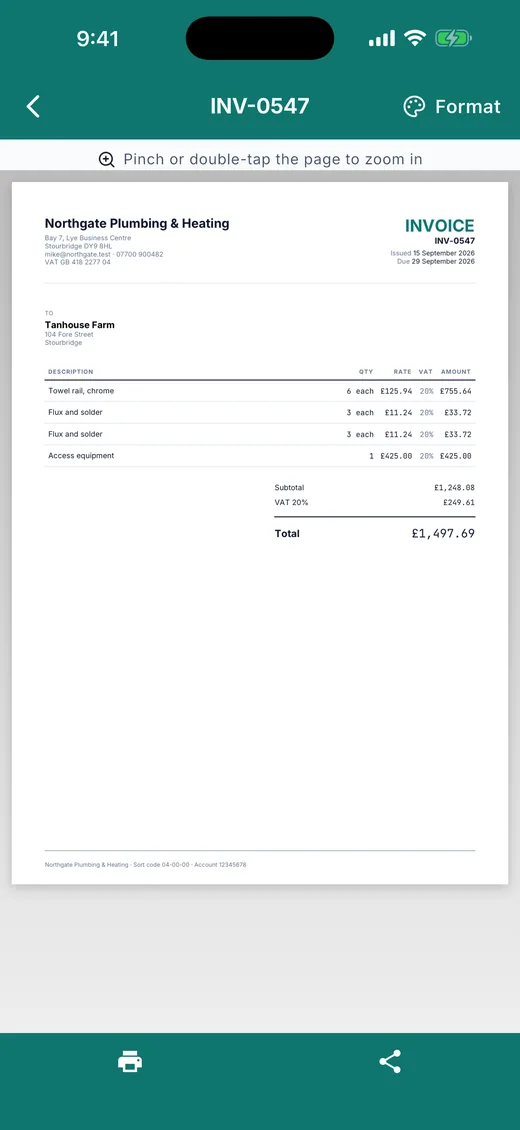
Estimates, invoices, pro forma invoices, credit notes, purchase orders and delivery notes, each with its own numbering series. An estimate knows what it became; an invoice knows where it came from; cancel the invoice and the estimate reopens.
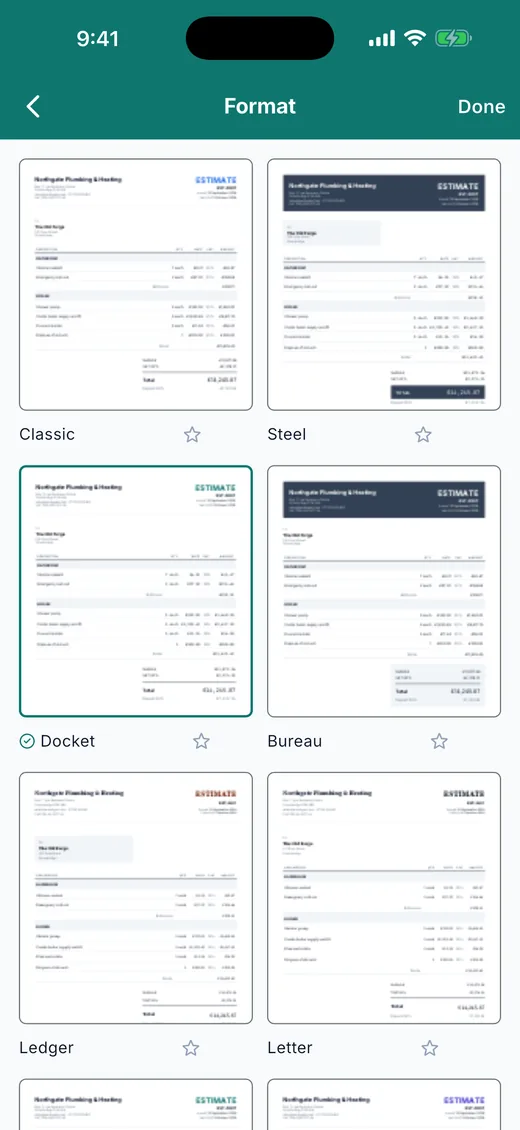
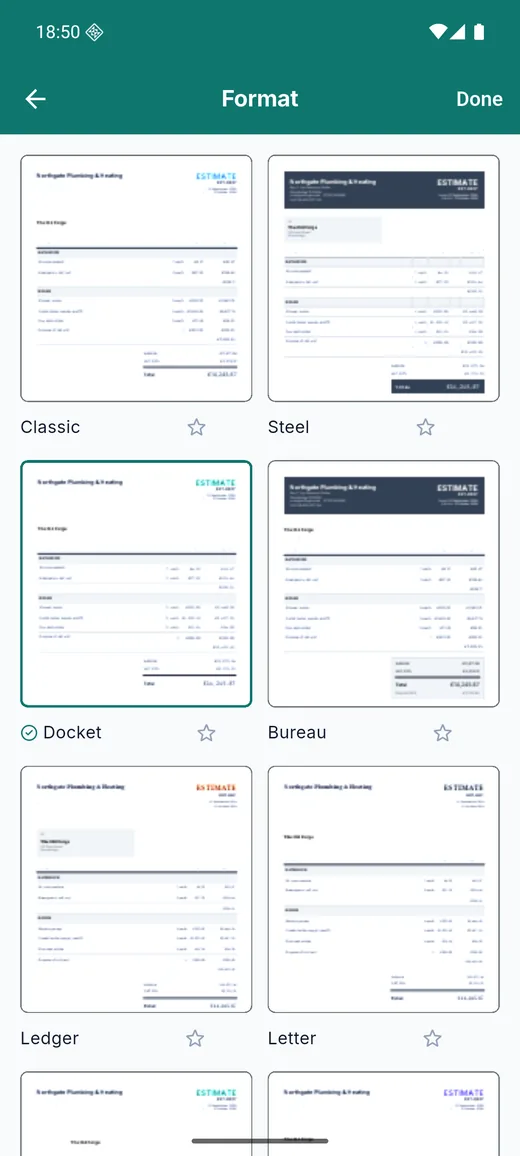
A hundred and seven formats
The same set of document formats as the web app, because a docket and a letter are not the same thing, and neither is what you send a letting agent, or print on the till roll in the van. Two complete formats, Classic and Steel, are free; the subscription unlocks the rest. Star the ones you use.
Know what you are owed
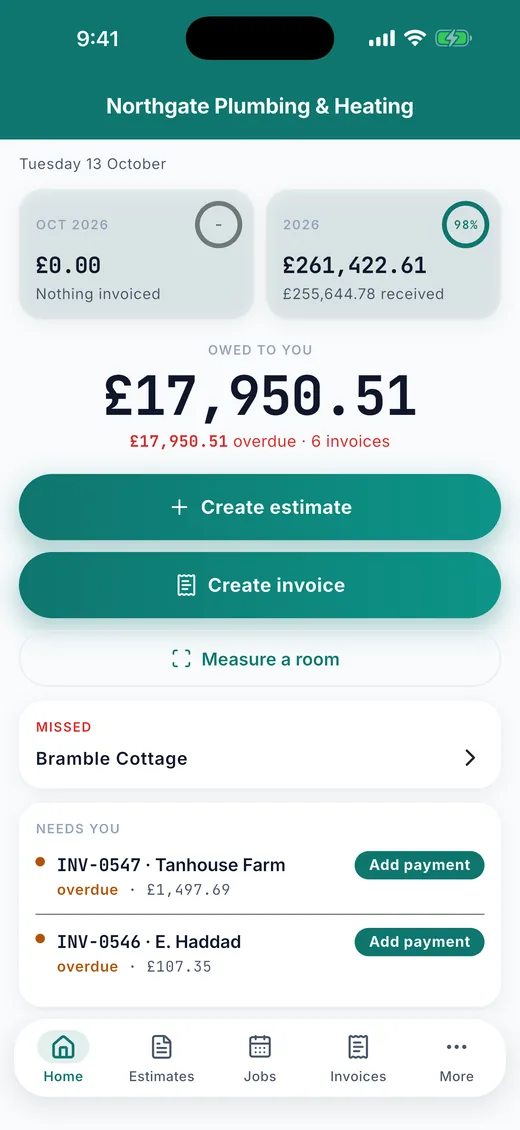
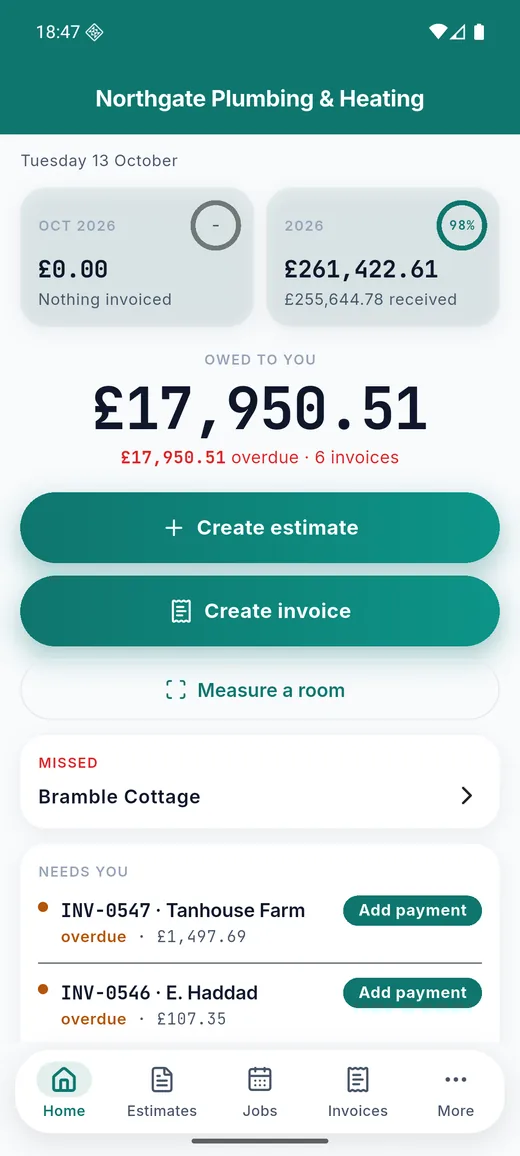
Home shows this month and this year, invoiced against received, the total outstanding, and the invoices that need you: overdue, part paid, unsigned. Each client carries what they owe. Reports show the debt by age, your win rate on estimates, your margin from the costs on your lines and the receipts you add, the tax you have charged, and your biggest clients, over any dates you choose.
Exports for the accountant
A dated PDF report, an unpaid-invoices list, an Excel workbook with a summary, every invoice, every document line, every payment and your price list, and the same as CSV. Subscribers export them; everyone sees the figures in the app.
Sent from your phone, by you
A document leaves the app as a PDF through the phone's own share sheet: email, WhatsApp, Messages, AirDrop, whatever you already use. It goes only where you send it and nothing is uploaded. In the free version, two short adverts unlock one PDF for printing, sharing or saving; the subscription does away with that.
Clients, tax and currency
A client book with the documents and the balance for each. Tax added on top or included in the price, with more than one rate on a document if the work needs it. Sixteen currencies, formatted the way each country writes them.
Backups
An encrypted backup you can open yourself, with the password you set, kept wherever you choose. iPhone users can turn on iCloud backup; Android backs the app up with the rest of your app data. Photos and signatures go with it.
Lock, look and feel
App lock with Face ID, Touch ID, a fingerprint or the passcode. Eight accent colours, light and dark themes. A home-screen widget with the amount owed, and quick actions on the app icon to start an estimate or an invoice.
Nothing capped
Unlimited estimates and invoices. Unlimited clients, catalog items and photos. PDFs, backups and every report, free, forever. The optional yearly subscription removes the banner and the adverts, takes the mark off the documents you send, unlocks the other formats and the accountant exports. That is all it does, and nothing is held back without it.
On iPhone
iPhone 17 Pro Max, demo data
On Android
Pixel-class phone, the same demo data
How to use Plain Estimate
Every screen and switch, in the order you meet them.
First run
Your business details and your prices, then you are quoting.
- Enter your business name, address and the details that go on a document. Pick your currency, your tax label and rate, and whether prices include tax.
- Add the things you charge for to the price list: a day rate, an hourly rate, the materials you fit. Each can carry a cost so the app shows your margin.
- On iPhone, the app offers to restore an iCloud copy from a previous phone before anything else happens. A backup file restores on either platform.
Quoting a job
- Start an estimate, add the client, and tap prices from the list; a second tap adds one more. Group lines under a heading per room, reorder them, add a discount or a deposit.
- Measure a room or a length with the camera from the Home screen or straight from a line; the figure goes onto the line.
- Hand the phone over for a signature. The signed estimate is the record of what was agreed.
- Send it as a PDF from the share sheet, in whichever format you like. The customer gets a file, not a link.
Doing the job and getting paid
- Book the job into the diary and get a reminder. Take photos while you work; they attach to the document.
- Convert the estimate to an invoice, split it into a deposit and a balance, or raise a pro forma for the money up front. Record payments as they arrive.
- Home shows what is outstanding and what needs you: overdue invoices, unsigned estimates, jobs this week. Tap an invoice to add a payment.
- A credit note puts money back against an invoice. A repeating invoice is drafted for you on its day.
Reports and exports
- More › Reports shows owed by age, win rate, margin, tax charged and top clients for any dates.
- Reports and exports: the dated PDF report, the unpaid list, the Excel workbook and the CSVs, for the subscription.
Backup, lock and ads
- Make an encrypted backup from More and keep it anywhere; only your password opens it. Turn on iCloud backup on iPhone.
- Turn on the app lock to ask for Face ID, Touch ID, a fingerprint or the passcode whenever the app opens.
- The one banner sits above the tab bar; two short adverts unlock a PDF. Change your ad choice any time under More. The yearly subscription removes all of it.
At a glance
- Platforms
- iPhone and iPad (iOS 15 or later), Android 7.0 or later
- Price
- Free with one banner and short adverts before a PDF; optional subscription, about US$15 a year, removes them and unlocks the extra formats and the accountant exports
- Languages
- English
- Currencies
- GBP, EUR, USD, INR, AUD, CAD, NZD, ZAR, AED, SGD, HKD, MYR, PHP, KES, NGN, PKR
- Your data
- On your device only; a sent document is a PDF from your own share sheet
- Status
- On Google Play
In short
Get Plain Estimate
Free, with everything kept on your phone.
Soon Scan with your phone's camera to get it on your phone Other brands
-
FinToolSuite
Personal finance and investment calculators that remove the guesswork.
-
FireMathLab
FIRE and retirement-date calculators that show their working.
-
BuildMetricLab
Construction and engineering calculators for faster, sharper estimates.
-
FitMetricLab
Fitness and health metric tools that turn data into progress.
-
PrintablesWorld
Printable kits, planners, puzzles, and smart PDF utilities.
-
RunTheTests
Free browser-based device, network, and privacy tests.
-
MotorMath
Pure-math car calculators for total cost of ownership and EV comparison.
-
PlainEstimate
Estimates and invoices that stay on your own machine.
-
Expense Diary
A local-first spending diary for iPhone, iPad and Android: safe to spend, bills, jars, reports and a road to financial independence.
Get Plain Estimate
Free, with everything kept on your phone.
Soon
Scan to get it
on your phone